
Powder Charges
Powder charges are one half of the ballistic solution; gun elevation is the other. The same target range can be reached with different valid charge/elevation pairs, but each pair changes resource cost, gun-laying time, and shell flight time.
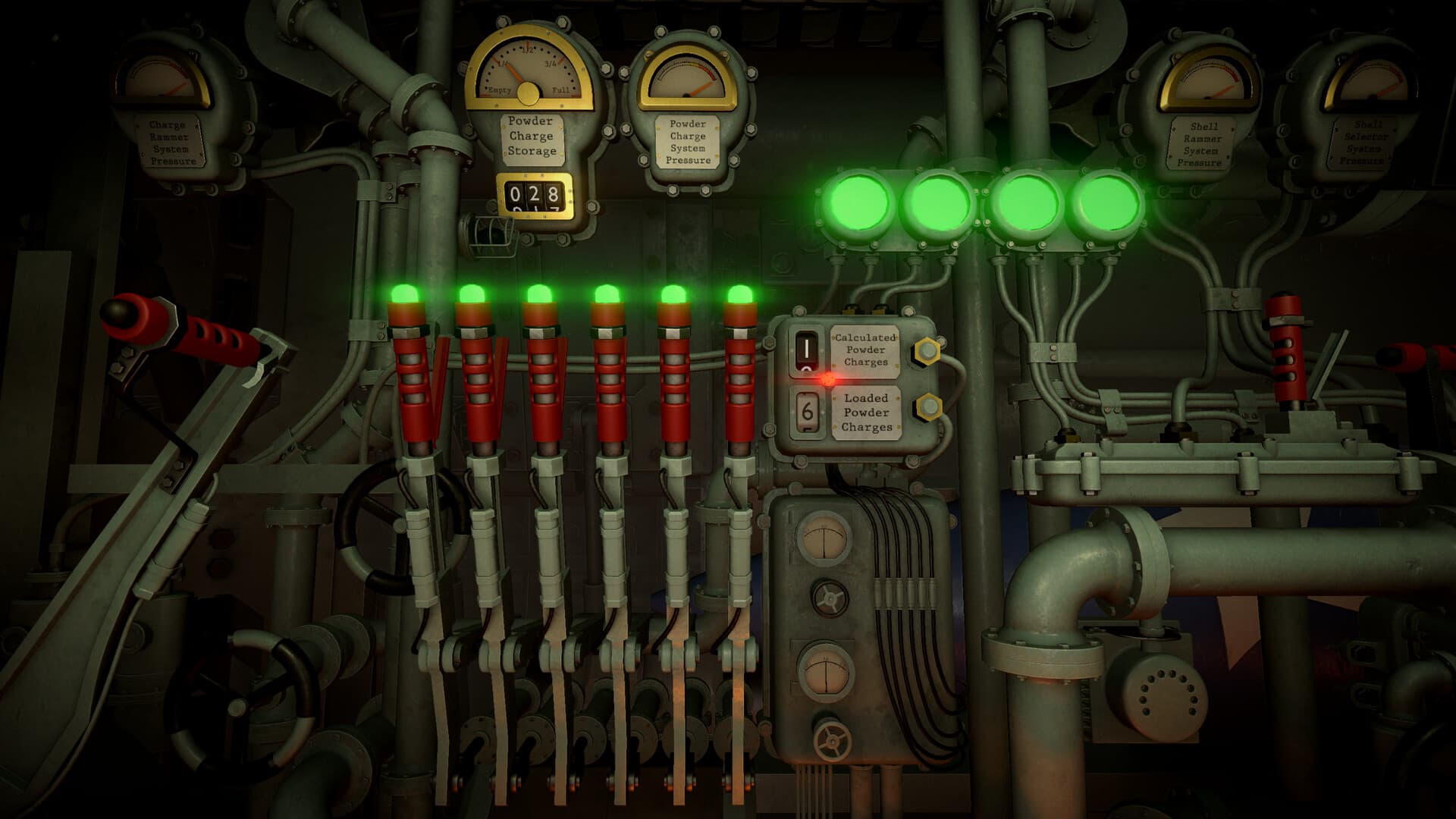
What powder charges actually change
Charges provide propellant energy. At a fixed range, a higher charge count generally lets the calculator use a lower gun elevation and can shorten time to impact. A lower charge count conserves resources but may require more elevation and a longer flight. The calculator remains authoritative because range, charges, and elevation must stay paired.
Choose a charge count deliberately
There is no universal 'best' charge count for every shot. Use the mission's time pressure, available requisition points, remaining stock, and how quickly the gun can reach the required elevation.
- Measure the current NEST-to-target range.
- Try an affordable charge count in the ballistic calculator.
- Check whether the resulting elevation is practical for the gun.
- For timed counter-battery shots, compare a faster higher-charge solution with its resource cost.
- Record the chosen count and matching elevation together.
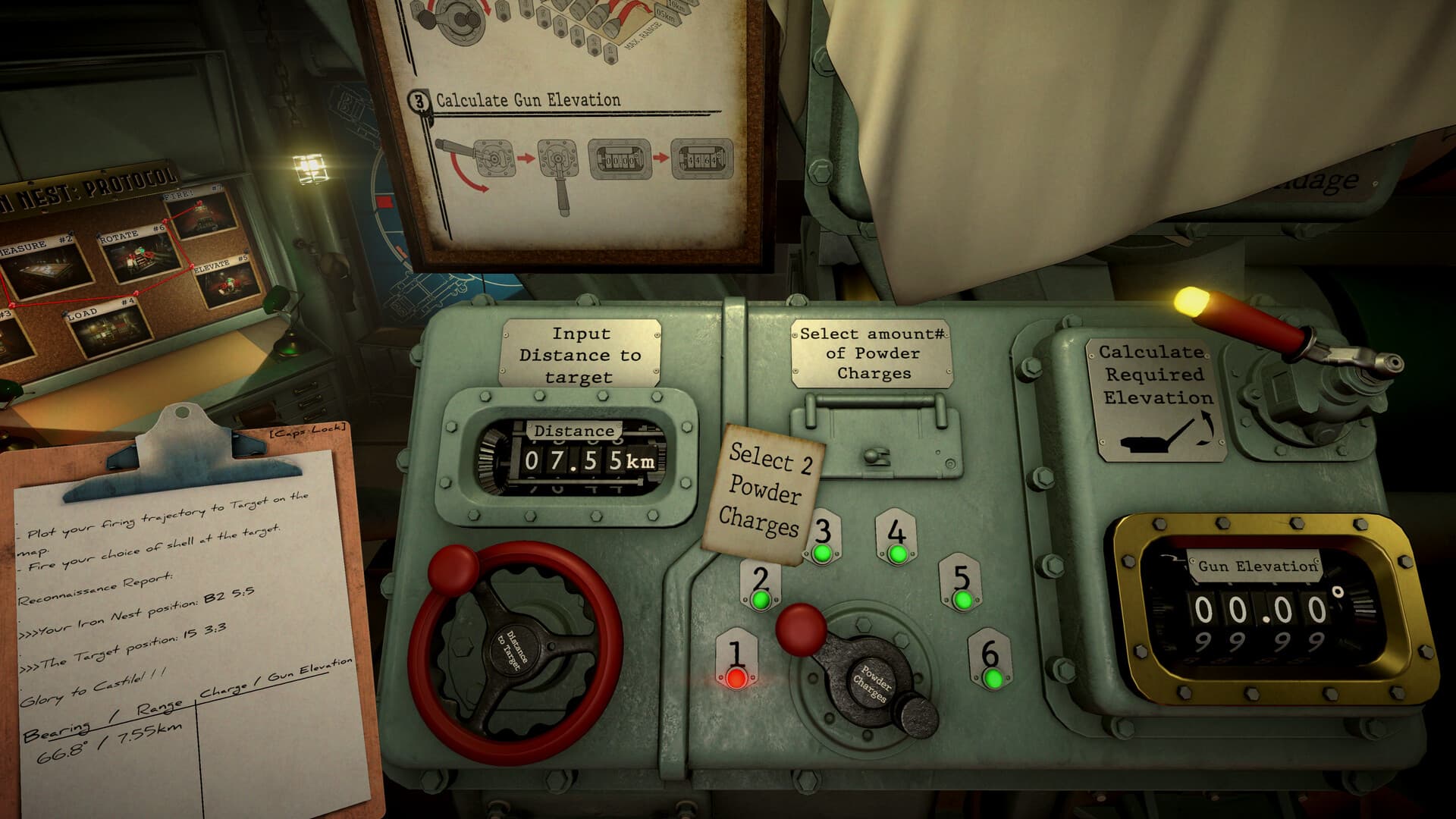
Why more charges are not always better
Community challenge-mode players report that repeatedly using maximum charges drains limited requisition supplies quickly. Extra charges may save flight or laying time, but a resupply can cost more time and points than the gain. For routine missions, use the lowest practical solution that meets the timing requirement; reserve expensive high-charge shots for situations where impact time or elevation really matters.
The mismatch that causes many misses
The calculator can show a correct elevation while the gun still misses if the loader uses a different charge count. Treat range, charge count, and elevation as one inseparable line on the firing card. If any one changes, generate a new solution.
Troubleshoot a short or long impact
First verify the target range and current NEST marker. Then compare the calculator's selected charges with what was physically loaded, and confirm the gun elevation matches that same result. Do not compensate by randomly adding charges; that creates a new trajectory and hides the original error.
Operator field note
Choose a trajectory for the mission, not for habit
More powder is not a universal accuracy upgrade. It changes the trajectory and resource cost, and it can change the elevation and time required for the same measured range. The useful question is whether a higher-charge solution solves a mission constraint—such as timing or a practical elevation—well enough to justify the additional supply cost.
For routine fire, begin with an affordable valid solution and preserve ammunition for correction or later objectives. For timed counter-battery work, compare the current calculator outputs and mission pressure rather than assuming maximum charges always save the operation. The physical loader must still match the count recorded on the firing card.
After a short or long impact, verify the full ballistic chain before adding or removing powder. A stale range, mismatched selector, wrong physical load, or incorrect gun elevation can each create depth error. Randomly changing charges produces a new trajectory and hides the original fault.
Sources & verification
Mechanics can change after patches. Official references and clearly labeled community findings used for this guide:
Official Steam description ↗Community charge-count discussion ↗Quick clarifications
Frequently asked questions
Are more charges always better?
No. They consume more supplies and require a new matching elevation. Use additional charges when a valid mission constraint justifies the trajectory.
Can the same range use different charge counts?
The in-game calculator may offer different valid charge-and-elevation combinations. Record the exact pair you choose and load it physically.
What should I check after a short impact?
Verify measured range, calculator charge selection, loaded charge count, and gun elevation before making a deliberate correction.